Why Rereading Feels Right and Works Badly
When you read a page for the third time, it goes down easily. Nothing surprises you, nothing snags, and your brain reads that fluency as knowledge. It is not. It is familiarity, and familiarity disappears the moment the page is taken away and somebody asks you a question.
Pulling something out of your own head is a completely different experience. It is slower, it is uncomfortable, and quite often you cannot do it. That discomfort is the point. The effort of retrieving a fact is what makes it easier to retrieve the next time, which is why the testing effect is one of the most consistently reproduced findings in the study of learning. Pair it with spaced repetition, which brings material back just as you are about to forget it, and you have the two techniques that outperform almost everything else students actually do.
So why does nobody do them? Because setting them up is miserable. Forty flashcards by hand is an evening. Writing your own quiz means already knowing the answers. Faced with that, highlighting wins every time, not because anyone believes in it but because it is the only option that starts immediately.
What actually changed
AI does not do your learning. It removes the setup cost that was stopping you from doing the learning. The cards still have to be recalled, the quiz still has to be answered, and that part is still yours.
The Half Hour Routine
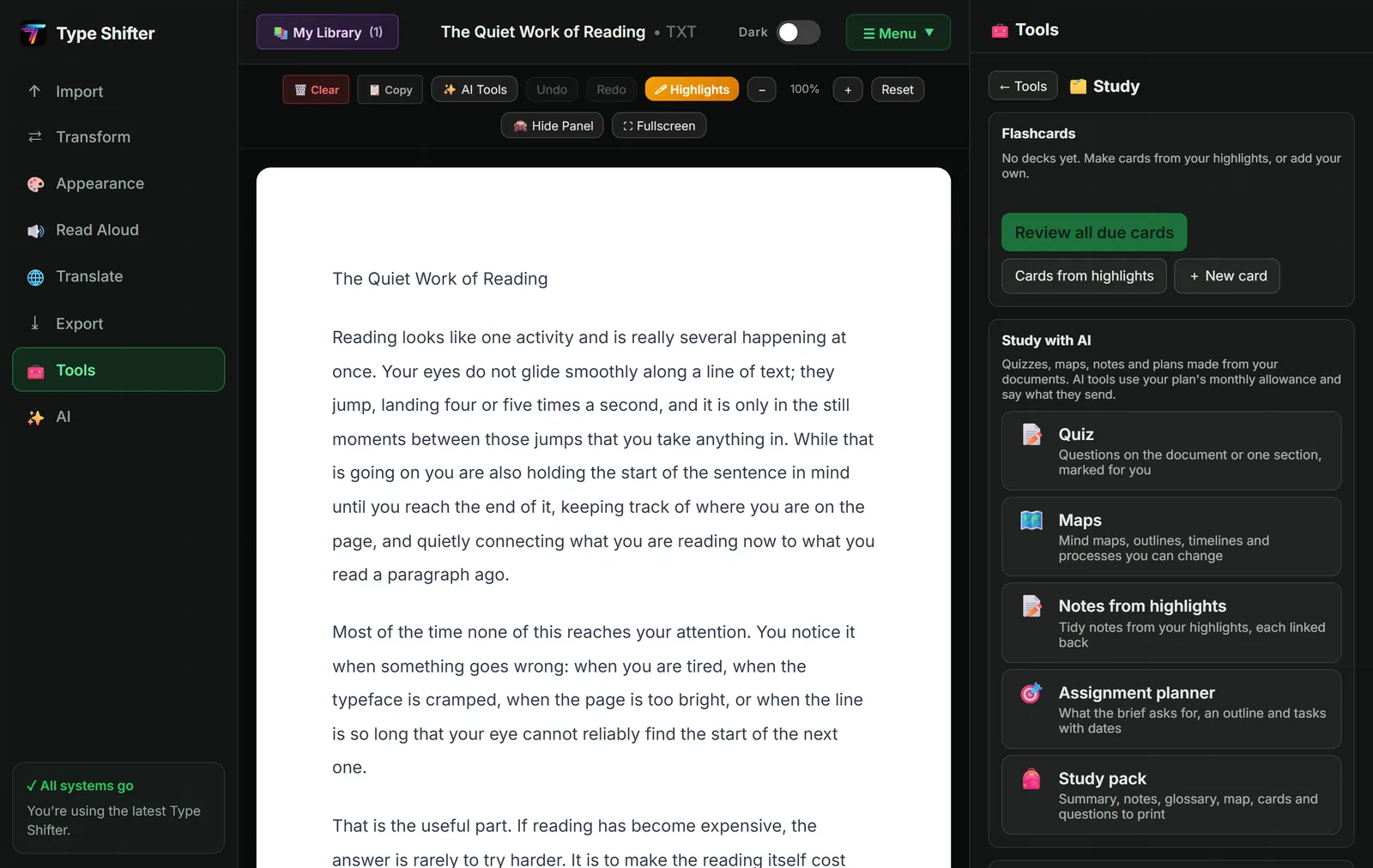
Here is the workflow, start to finish, on a lecture handout, a textbook chapter, a PDF of past papers, or a photograph of somebody else's notes.
1. Get it in, whatever shape it is in
Type Shifter imports PDF, Word, EPUB, PowerPoint, spreadsheets, ODT, plain text and web pages. If your material is a photograph of a whiteboard or a page from a library book, the built in OCR reads it into editable text, which our guide to free OCR in your browser covers in detail. If it is a recorded lecture, the transcribe tool turns audio or video into a document.
If what arrives is a solid wall of undifferentiated text, use Break into sections first. Headings are what let you navigate a document, and a chapter you can navigate is a chapter you will actually come back to.
2. Read it once, and highlight ruthlessly
One pass, with the reading set up the way that suits you: Bionic Reading on, a reading ruler following your line, dark mode if bright pages tire you. Highlight only the things you genuinely could not repeat tomorrow. Highlighting everything is the same as highlighting nothing, and it is the single most common revision mistake there is.
If the vocabulary is the obstacle, generate a glossary before you start reading so the hard words are already dealt with. If you are working through research papers, the three pass method saves an enormous amount of time on this step.
3. Turn the highlights into cards
Your highlights become flashcards. Select a passage and ask for cards from it, or list every highlight in the document and turn them into a deck in one go. You can also make cards by hand with no AI at all: write a question and answer, or make a fill the gap card by clicking the words you want hidden inside one of your own highlights.
Read the generated cards before you revise from them. This takes two minutes and it is not optional. AI writes some excellent cards and some lazy ones, and a card that asks the wrong question will teach you the wrong thing very efficiently. Fix the sloppy ones, delete the obvious ones, and the deck is yours.
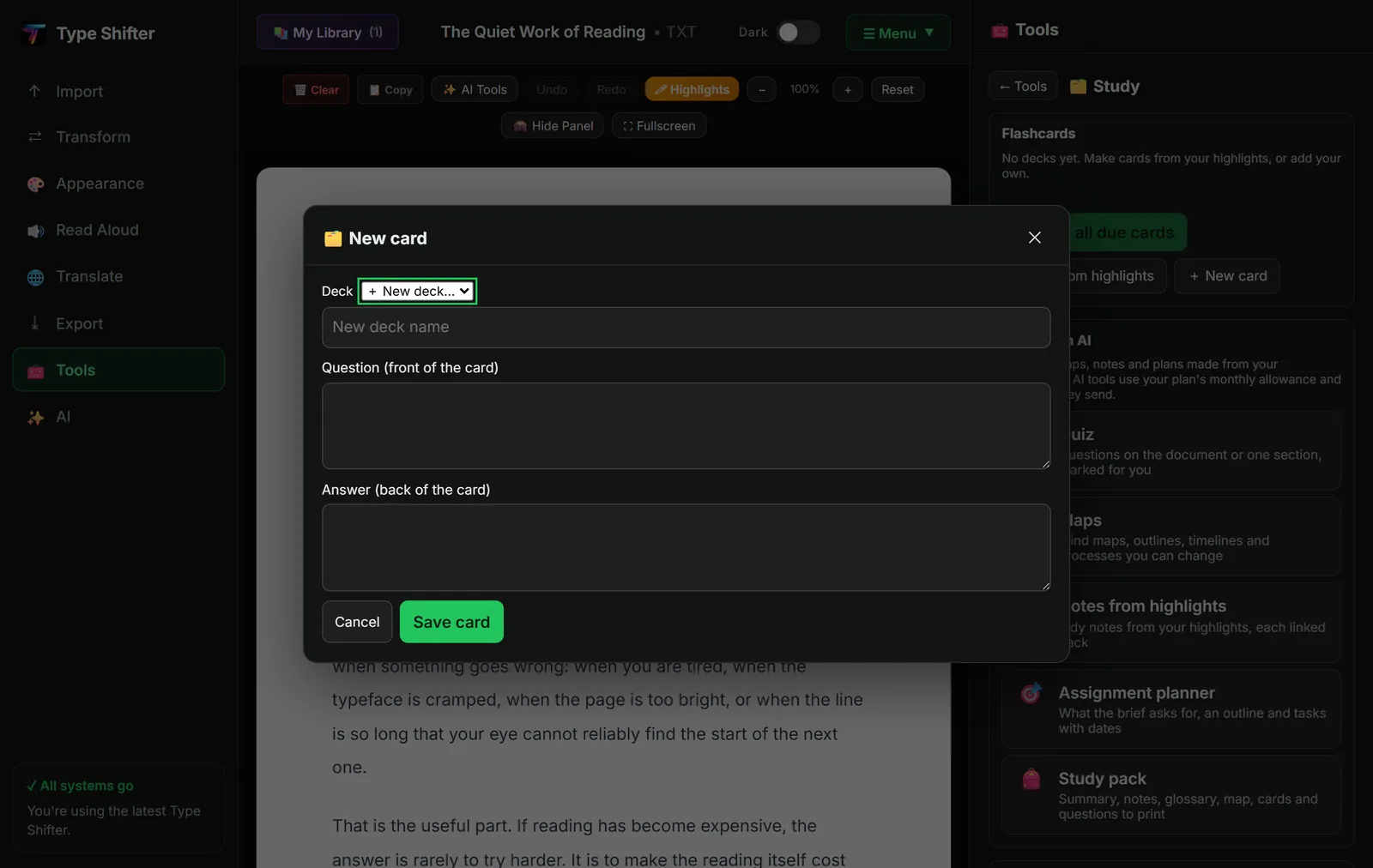
4. Let the schedule decide what you see
Decks are reviewed with spaced repetition. Cards you find easy come back in a week or a month. Cards you keep getting wrong come back tomorrow. Your revision time drifts automatically towards the things you have not learned, which is exactly where it should be and never where it goes when you choose for yourself.
A study timer and a statistics view sit alongside it, so you can see what you have actually covered rather than guessing. All of this runs on your device, with no AI and no subscription.
5. Test yourself properly
Flashcards are recognition practice. A quiz is something harder. Ask for questions from the document, write your answers in your own words, and have them marked. Short written answers get marked too, not just multiple choice, which is the difference between proving you can pick the right option from four and proving you can produce the idea from nothing.
This is the least comfortable part of the routine and the most valuable. Finding the holes a week before an exam is a gift. Finding them in the exam is not.
The Rest of the Study Toolkit
Maps, outlines and timelines
Some material is a structure rather than a list of facts, and a picture of that structure is worth more than another page of notes. Type Shifter draws mind maps, outlines, timelines and process diagrams, and the drawing happens on your own computer. There is a free version built straight from the document's headings, which costs nothing and is often all you need. Timelines are particularly good for history, law and anything where the order of events is the thing being tested.
Notes from your highlights
Your highlights, organised into proper notes, with every point linked back to the highlight it came from. That last part matters. When you are revising in April from notes you made in November, being able to jump back to the original sentence in one click is what stops a slightly garbled note becoming a firmly held misunderstanding.
The assignment planner
Paste in the brief and get back the requirements pulled out and listed, the questions you should be asking, a suggested outline, and dated tasks working back from the deadline.
Note carefully what it does not do. It writes a plan, not the assignment. That was a deliberate decision, not a limitation waiting to be lifted. A tool that hands you finished coursework is a tool that gets you in trouble and teaches you nothing.
The study pack
This is the one to know about if you like revising on paper. It assembles one printable document containing the summary, your notes, the glossary, the visual map, your flashcards and a set of questions. Print it, put it in a folder, and revise away from the screen.
Workbooks and presentations
A workbook turns material into exercises with room to write, which is a gift if you teach, tutor, or revise with somebody else. A presentation turns a document into slides in your own template's fonts and colours, fully editable afterwards, which is useful when a seminar presentation is the assessment.
Audio overviews for the days reading will not happen
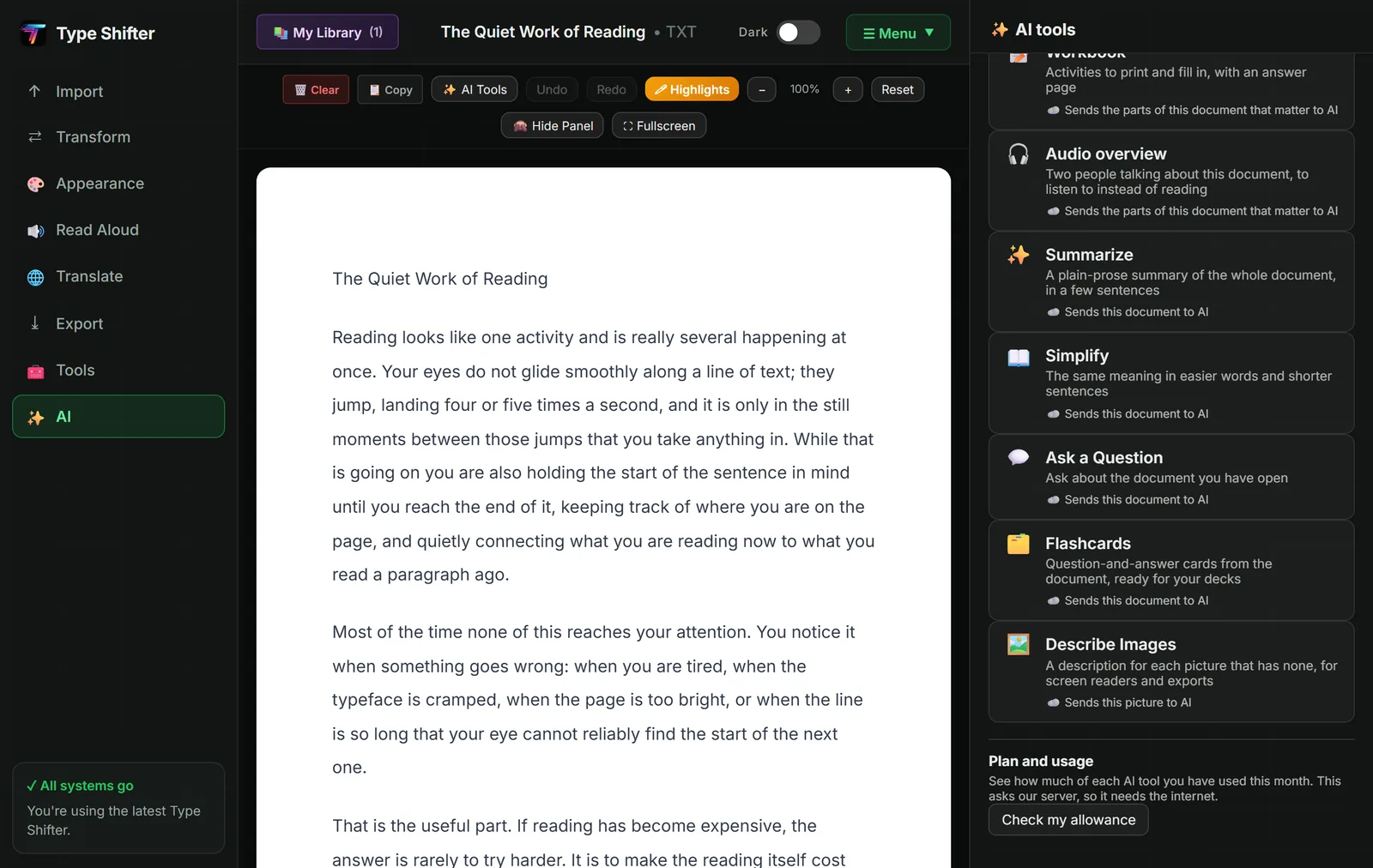
An audio overview turns a document into a short spoken discussion, using the voices already on your computer. Any document can also be saved as an MP3 audiobook to take on a walk, a bus or a shift, as our guides to saving documents as MP3 audiobooks and turning a PDF into an audiobook explain.
Some days your concentration simply is not there. Listening on those days keeps you in contact with the material, which is far better than the nothing that is the honest alternative. If that describes more of your days than you would like, reading with brain fog was written for you.
A Week That Actually Works
| When | What you do | How long |
|---|---|---|
| After each lecture or chapter | Import, break into sections, read once, highlight only what you could not repeat | The length of the material |
| Same day | Turn the highlights into cards, read them through, fix the poor ones | 10 minutes |
| Every day | Review whatever the schedule puts in front of you | 10 to 15 minutes |
| Once a week | A quiz on the week's material, answers marked, gaps noted | 20 minutes |
| Commutes and walks | Listen to an audio overview or an MP3 of the chapter | Time you were losing anyway |
| Two weeks before the exam | Build the study pack and revise from that, not the original | One afternoon |
Notice how small the daily number is. Fifteen honest minutes of recall beats three hours of rereading, and it is a great deal easier to keep doing in a week when everything else is going wrong.
If you are neurodivergent
Short, bounded sessions with a visible finish line are far kinder to an ADHD brain than an open ended evening of revision. The timer, the day's card count and the focus modes that dim everything except the sentence you are on were all built with that in mind. Why reading feels so hard with ADHD goes into the reasons properly.
The Honest Limits
Three things worth saying plainly, because a guide that only sells you something is not much use.
AI gets things wrong. It can misread a table, miss a qualifying clause, or state something confidently that the document never said. Chat answers in Type Shifter carry the passage they came from so you can check them in one click, and generated cards should be read before you trust them. Check anything that will go in an exam against the source.
Generating is not learning. There is a real temptation to spend an afternoon producing beautiful materials and feel as though you have revised. You have not. You have prepared to revise. The learning is in the recall, and the recall has to be done by you.
Know your institution's rules. Making your own study materials is nobody's idea of academic misconduct, and it is no different from buying a revision guide. Submitting AI written work as your own is a different matter, and your university or college will have published rules about it. Read them rather than guessing.
What It Costs
The whole study toolkit that runs on your device costs nothing beyond the app itself: flashcard decks, spaced repetition, the timer, statistics, highlights, notes, focus modes, the free map built from headings, and the study pack export. Explain a selection has a free allowance of thirty uses a month with no subscription at all.
The AI generators, which are quizzes, cards from a selection, notes, maps, the assignment planner, workbooks, presentations and audio overviews, are part of Pro at £9.99 a month or £99.99 a year. The app licence itself is a one off £29 and is not a subscription; without one, a free version keeps reading, formatting and exporting after the 14-day trial. For a fuller comparison of what free reading tools can do, see the best free study tools for students.
Try it on the next thing you have to learn
Import a chapter, highlight it once, and see what comes out the other end. Free for 14 days, no card needed.
Keep Reading
For the reading and writing side of the same release, including chat with citations, glossaries and the grammar check, read chat with your documents. For working with course PDFs without handing them to a website, see nine PDF tools that never upload your files. And if reading itself is the part you find hardest, how to make text easier to read is the place to start. Your decks now have a home too: the review player in the new Learn & Study page and My Library tells you what is due each day.
Frequently Asked Questions
Do AI flashcards actually help you learn?
The flashcards are not what helps. Testing yourself is what helps, and decades of research on retrieval practice support that. What AI changes is the cost of getting started: making forty cards by hand takes an evening you were never going to spend, so most people never test themselves at all. Generate the cards, read them through, fix the sloppy ones, then do the actual work of recalling the answers.
Is using AI to make revision materials cheating?
Making your own study materials is not the assessed work, so using a tool to build flashcards, a quiz or a mind map is no more cheating than buying a revision guide. Having AI write an essay you submit as your own is a different matter entirely, and your institution's academic integrity rules apply. Type Shifter's assignment planner deliberately writes a plan rather than a document, for exactly this reason.
What is spaced repetition, in plain terms?
Reviewing something just as you are about to forget it, rather than reviewing everything equally often. Cards you find easy come back in a week or a month, cards you keep getting wrong come back tomorrow. It means your revision time goes on the material you have not learned yet instead of the material you already know.
Can I make flashcards without AI?
Yes, and it costs nothing. You can write a question and answer card yourself, or make a fill the gap card by clicking the words you want hidden in one of your own highlights. The decks, the spaced repetition scheduling, the timer and the statistics all run on your device with no AI and no subscription.
Can I revise by listening instead of reading?
Yes. An audio overview turns the document into a short spoken discussion using the voices already on your computer, and any document can be saved as an MP3 to listen to on a walk or a commute. Listening is a legitimate way of taking material in, and it is especially useful on the days when reading is not happening.
Does my material get uploaded anywhere?
Only the text an AI tool needs, and only at the moment you press its button. Your decks, highlights, notes, statistics, OCR, translation and reading settings all stay on your device. Every feature that uses the internet says so first, and each one can be switched off on your own computer in the Features panel.
Will this work for GCSEs, A levels and university alike?
The method is the same at every level, because retrieval practice and spacing are not age specific. What changes is the material you feed in. Younger learners tend to get most from the picture dictionary and the printable study pack, while university students lean on the quiz, the glossary and reading several papers side by side.